What you get
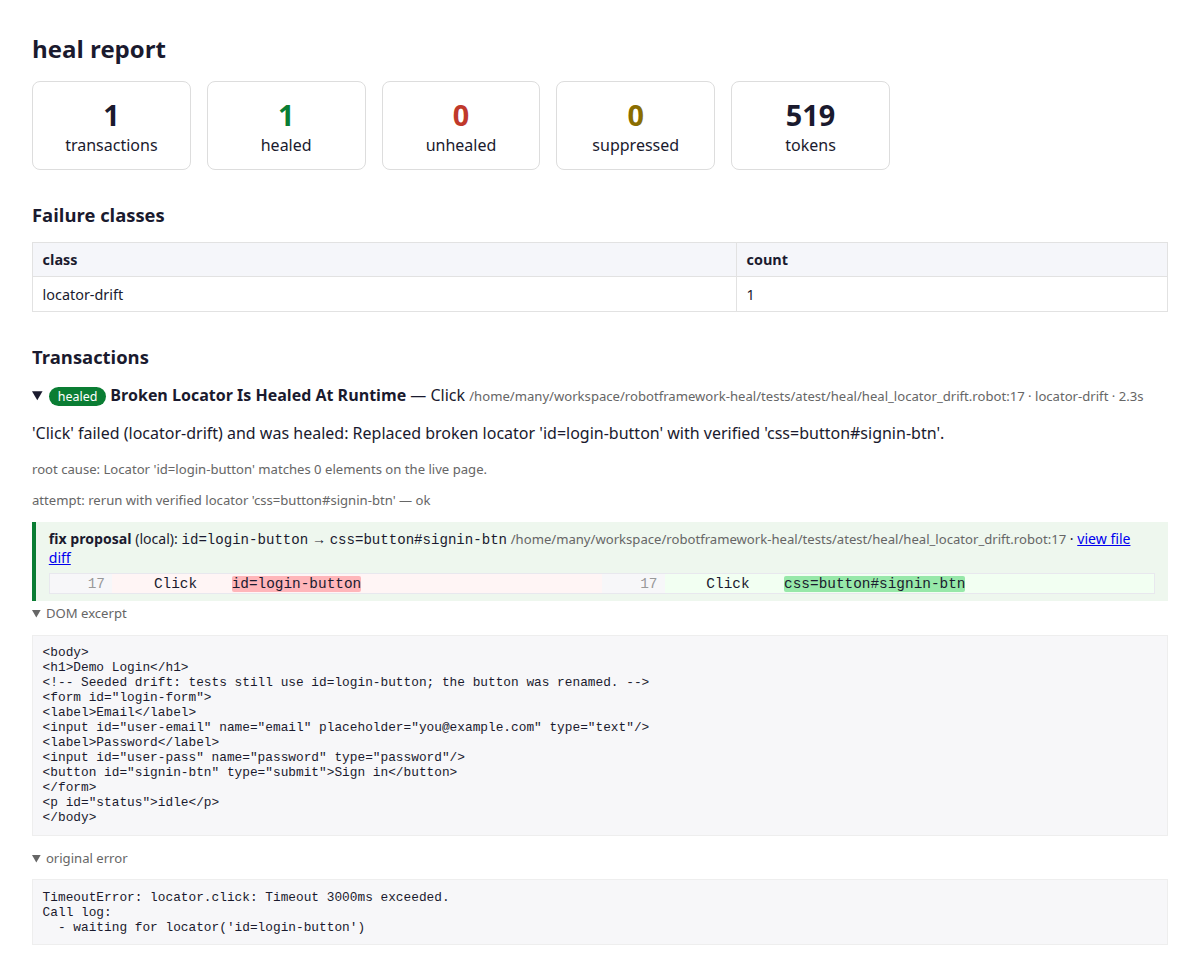
After a run, heal writes a self-contained report. Here is what it looks like on a single healed locator.
The dashboard
A drill-down for every transaction: the healed badge, a clean root-cause message, the attempts, and a fix proposal with a word-highlighted inline diff of the suggested permanent change — plus the DOM excerpt and original error.
Side-by-side diffs
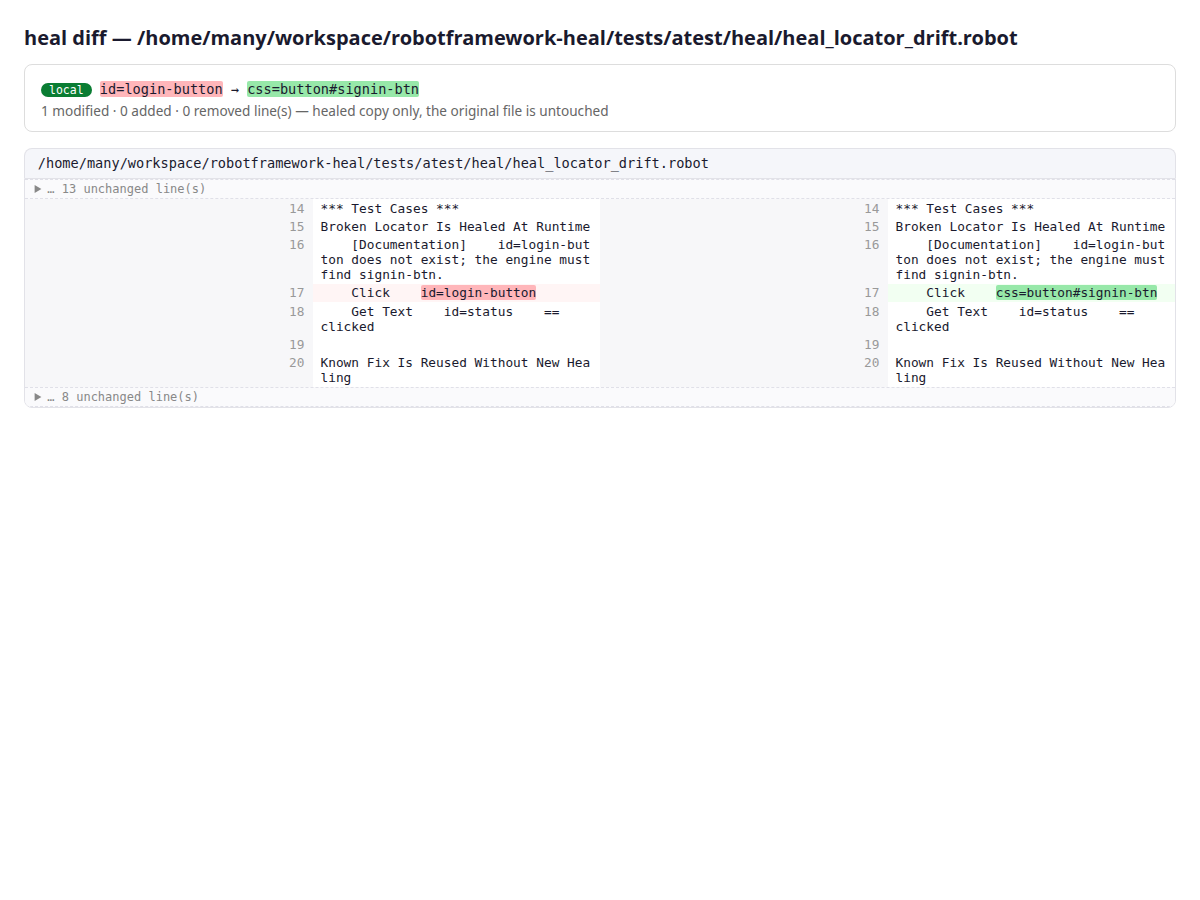
Each healed file gets a full side-by-side diff page (linked from the dashboard).
Your original files are never modified — these are read-only copies under
healed_files/.
heal doctor
Before a run, heal doctor probes each configured endpoint and resolves its
capabilities — so you know exactly which output mode and features heal will use:
resolved configuration:
  locator  model=openai/gpt-4.1-nano base_url=https://openrouter.ai/api/v1 api_key=sk-***… output_mode=auto
  budgets  max_failure_seconds=60.0 max_run_tokens=2000000 fix_tier=report

probing locator -> openai/gpt-4.1-nano ...
  tool_output        PASS   2.2s
  native_output      PASS   0.9s
  prompted_output    PASS   1.9s
  exploration_tool   PASS   2.7s
  resolved: output=tool tools=reliable vision=False
Everything else
events.jsonl (crash-safe run store), summary.json (CI gates), heal.patch
(at HEAL_FIX_TIER=patch), and history.sqlite (cross-run memory). See the
report-artifacts reference.